
Risk Reward
-
DarkLight
Risk Reward
-
DarkLight
Article summary
Did you find this summary helpful?
Thank you for your feedback!

Risk Reward is a drawing tool that allows traders to see the market opportunities at a glance. It consists of two drawings: Risk Reward - Long Position and Risk Reward - Short Position and shows potential profit (Reward) and loss (risk) for either short and long position.
To add Risk Reward Long Position or Short Position to the chart, click the icon on the Drawings Panel. Select either Long Position or Short Position and click anywhere on the chart to set the entry price (midline). Stop Loss or Risk and Take Profit or Reward lines will be placed automatically at the ratio of 1:1. For Long Position, the Stop Loss line will be below the midline, and the Take Profit line will be above the midline. For Short Position, the Stop Loss line will be above the midline, and the Take Profit line will be below the midline.
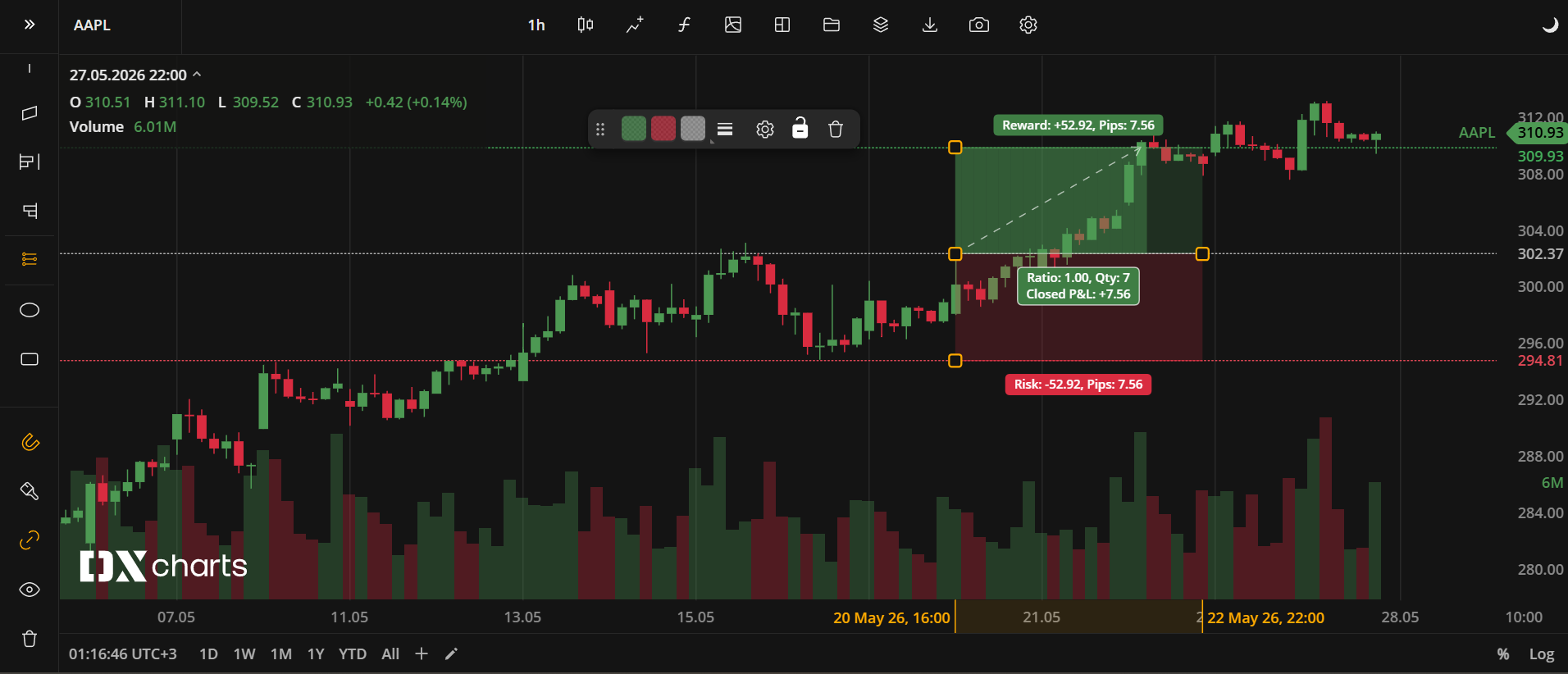
Risk Reward - Long Position
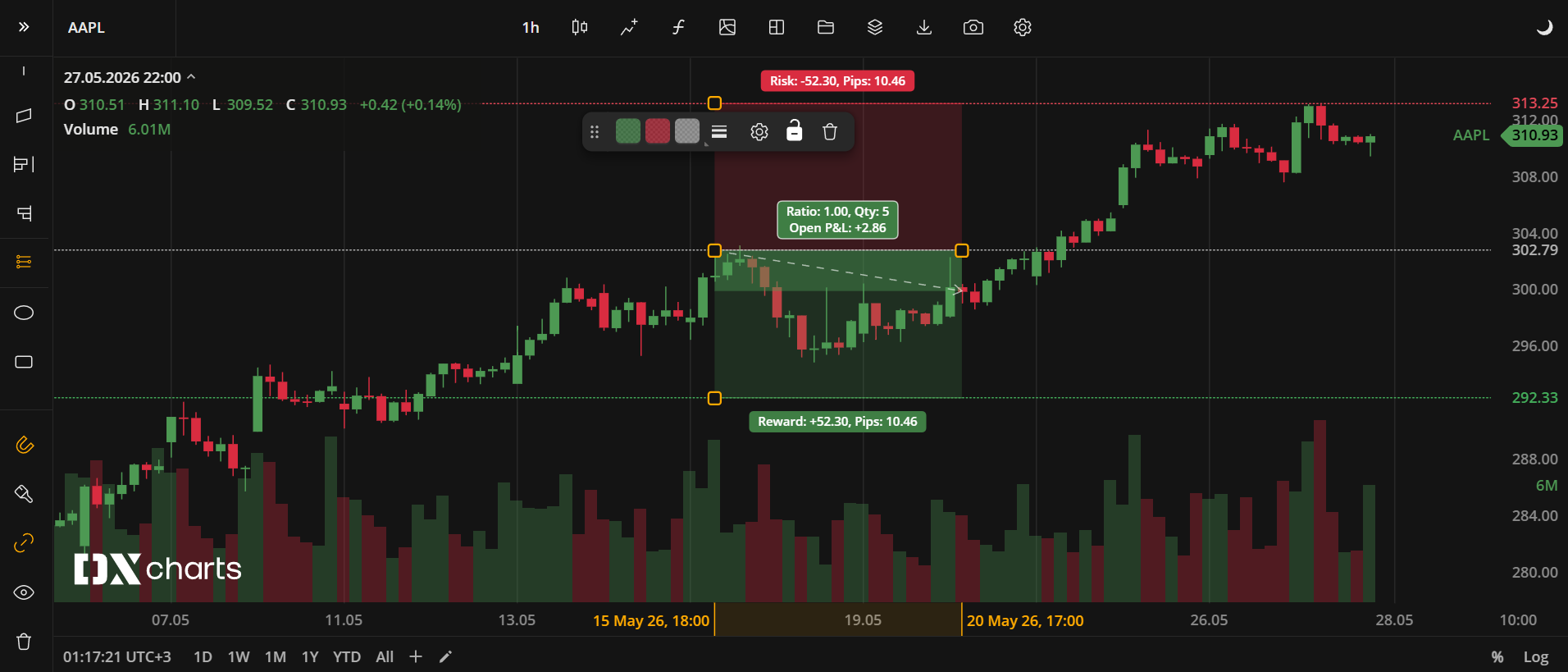
Risk Reward - Short Position
Actions with Risk Reward
To adjust the precision of either of the three lines, select and drag it.
To move the drawing, select the whole of it and drag it.
Note: To open the settings window, double-click the line on the chart
Risk Reward Toolbar
Color. In the Color section, you can change the color of either of the drawing section. The slider at the bottom adjusts the transparency of the color.
The custom-created colors are added to your palette. To remove a custom color, drag it out of the palette. |
Weight. In the Weight section, you can set the thickness and style of the Risk Reward lines (currently, only dashed style is available). |
Settings. A set of parameters that are described in Risk Reward - Long/Short Position settings. |
Lock. Locks the drawing position. The figure cannot be moved or edited on the chart. |
Delete. Removes the drawing from the chart. |
 to open the color picker
Note: To delete the drawing, you can also press the Delete or Backspace button on your keyboard
Risk Reward - Long/Short Position Settings
INPUTS
Input | Description |
|---|---|
Account size | Trader’s initial account size in default units |
Lot size | Number of units bought or sold. Fractional numbers are allowed. Can be specified either as amount or percentage. |
Take Profit Price | Target Take Profit (Reward) price in pips. |
Entry Price | Entry price. Set manually by the initial click. |
Stop Loss Price | Price at which the position will be automatically closed to limit risk. |
Risk Reward Ratio | 1 by default. Can be increased or decreased using the ± stepper. |
Fixed Ratio | Check to keep Stop Loss/Take Profit tied to the current ratio. |
Style. In this section, you can set a color or style for each line of the drawing.
Labels. Check to always display information labels.
Was this article helpful?